
How to Take Better Instagram Photos with Your Smartphone
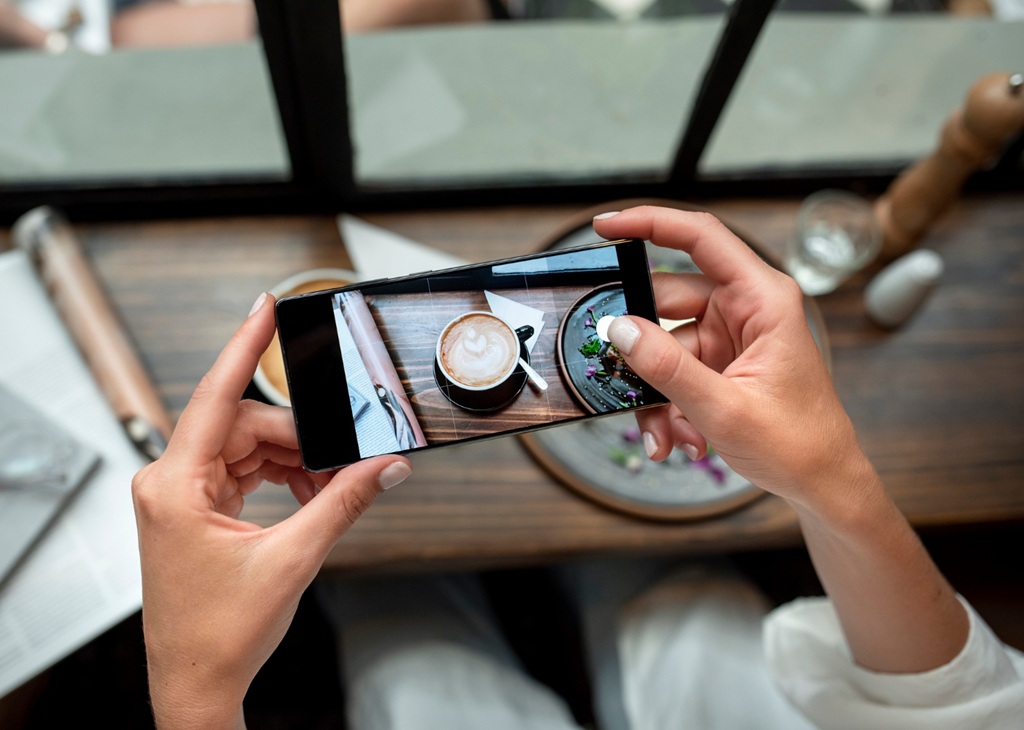
Most people already own a capable camera. The smartphone in your pocket can produce polished, intentional photos without any extra equipment. Instagram phone photography is a learnable skill, not a natural talent. The gap between a weak photo and a strong one usually comes down to consistent habits around light, framing, stability, and editing. If you want better Instagram photos, none of these habits are difficult to develop, and none of them require any extra equipment or investment. This guide covers each area in practical terms you can apply to your very next shoot, whether you’re just starting out or trying to move past a plateau. The goal isn’t to turn you into a professional photographer. It’s to help you get noticeably better results from the camera you already have.
Why Lighting Is Your Most Valuable Tool
Light is the single most important variable in any photograph. It shapes color, contrast, shadow, texture, and mood—all at once. No editing can fully repair a photo taken in genuinely poor light. Natural light is the most forgiving and accessible option. Position your subject so the light falls from the side or slightly in front. Back-lighting creates silhouettes, which can be striking when intentional but is usually a mistake when not. Start every shoot by locating the main light source. Then move yourself or your subject to take advantage of it. This awareness alone will help you get better Instagram photos more than almost any other single habit you can develop.
Smartphone Photo Tips for Timing Your Shoots
The time of day affects natural light quality more than most beginners realize. Midday sun comes from directly overhead. This creates harsh, unflattering shadows under eyes, noses, and chins. The hour just after sunrise and the hour before sunset produce soft, angled light. Social media photo quality tends to improve noticeably during these windows. If you can’t control your shoot time, look for open shade. The shadow side of a building or a tree canopy offers bright, diffused light. It removes the harshness of direct sun without sacrificing brightness. Smartphone photo tips about timing are easy to overlook but hard to overvalue once you see the difference firsthand. Even a thirty-minute shift in your shoot window can change the character of your photos significantly.
Social Media Photo Quality Starts With Indoor Light
Indoor shooting is difficult because most artificial lighting is overhead. Fluorescent and incandescent fixtures produce unflattering shadows and unwanted color casts. The simplest fix to get better Instagram photos is to move your subject near a window and turn off the overhead lights. Natural window light is softer, more directional, and far more flattering than most artificial alternatives. Social media photo quality can improve dramatically from this single adjustment alone. Face your subject toward the window. A piece of white cardboard opposite the window reflects light back onto the shadowed side of your subject. This fills in darkness on one side without any special equipment or advanced technique.
Composition: Deciding What Goes in Your Frame
Composition is the practice of arranging the elements inside your frame. A well-composed photo guides the viewer’s eye directly to the subject. The rule of thirds is the most widely used starting point. Imagine your screen divided into a three-by-three grid by two horizontal and two vertical lines. Place your main subject at one of the four intersection points. This tends to feel more dynamic and balanced than placing the subject dead center. Most smartphones have a built-in grid overlay in the camera settings. Enabling it makes the rule of thirds much easier to apply in real time. Once you start using the grid, placing subjects at intersection points becomes instinctive rather than deliberate—it’s a habit that takes only a short time to build.
Smartphone Photo Tips for Cleaner Backgrounds
The background of a photo matters as much as the subject itself. A cluttered or busy background pulls the viewer’s attention away from the main subject. Before shooting, scan the entire frame—not just the center—and look for anything that doesn’t belong. A stray object at the edge, an unintended person, or a visually clashing element can all undermine an otherwise strong shot. Reframe the shot or move your subject to remove the distraction. Smartphone photo tips consistently emphasize simplicity because fewer competing elements let the main subject read with more force and clarity. A plain wall, a clear sky, or a clean table surface can each serve as a strong, effective background.
Social Media Photo Quality Through Depth and Lines
Leading lines are structural elements in a scene. A road, a fence, a hallway, or the edge of a counter can each draw the viewer’s eye deeper into the image. Using one intentionally adds depth to a composition. This technique is widely underused in Instagram phone photography, largely because it works in very ordinary settings. However, it will help you get better Instagram photos. A staircase railing, a row of windows, or the edge of a footpath can all function as effective leading lines. Social media photo quality benefits from this kind of visual layering. Position yourself so the line moves toward your subject rather than cutting awkwardly across the frame.
Achieving Sharp Focus and Stability
Sharpness is non-negotiable. A blurry or soft photo is almost never fixable in editing. It also signals a lack of control that weakens viewer confidence in your content. Sharpness comes from two sources: proper focus and camera stability. Don’t rely entirely on your smartphone’s auto-focus. Make a habit of tapping the screen on your specific subject before pressing the shutter. Tap on the eyes, a product label, or the most important visual detail. When the subject is off-center, auto-focus can lock onto something else in the middle of the frame instead. This is one of the more common causes of photos that look blurry or soft in the wrong area.
Smartphone Photo Tips for Reducing Camera Shake
Camera shake is one of the most common and most preventable causes of blur. It’s especially noticeable in low-light situations where the shutter stays open longer. Hold the phone with both hands. Keep your elbows close to your body. This reduces the tremor that comes from extended, unsupported arms. Press the shutter—or use the volume button, which many people find easier to press steadily—with a deliberate, controlled motion. For low-light situations, brace the phone against a solid surface or use an inexpensive tripod. These steps eliminate the problem rather than simply reduce it. Slowing down the physical act of shooting makes a measurable difference in your results.
Controlling Exposure Before You Shoot
After tapping to focus, look for a small sun icon or brightness slider near the focus point. This control lets you adjust exposure before you shoot. Drag the slider up to brighten the frame; drag it down to darken it. Getting exposure right in the camera is always better than trying to correct it afterward. Overexposed areas—pure white patches with no recoverable detail—can’t be restored in any editing app. Underexposed images can often be brightened, but they typically become noisy and lose quality in the process. A properly exposed original gives you significantly more to work with at the editing stage.
Editing for Refinement, Not Transformation
In the context of getting better Instagram photos, editing means refining what’s already there. It isn’t a tool for rescuing fundamentally weak photos. Followers today are getting better at detecting highly edited/filtered photos, and when they find that a content creator has utilized them, the creator loses trust. The three most impactful controls are brightness, contrast, and sharpness. Brightness affects overall lightness. Contrast determines how visually separated the bright and dark areas are. Sharpness adds definition to edges and fine detail. Most phone editing tools—built-in and third-party—include all three. For most photos, modest adjustments to these three controls alone will produce a noticeably improved result. Avoid reaching immediately for heavy filters before experimenting with these basic adjustments first. Many photos that look dull straight out of the camera respond well to a small brightness increase and a slight contrast boost—nothing more.
Smartphone Photo Tips for Editing with Restraint
The most common editing mistake is going too far in an effort to get even better Instagram photos. Heavy filters, extreme saturation, and aggressive contrast adjustments make photos look processed and artificial. A practical rule: if you’re moving any slider more than fifteen to twenty percent from its default position, you’re probably overdoing it. Subtle edits preserve the natural quality of the image. Social media photo quality is built on consistency and credibility, not visual drama. One useful strategy is to edit on your phone and then check the result on a larger screen. Issues that look subtle on a small display often become more obvious at a bigger size. This extra step takes thirty seconds and catches problems before you post.
Social Media Photo Quality and Visual Consistency
Consistency, particularly visual consistency, is what separates accounts that feel intentional from those that feel scattered. Individual photos matter, but so does how they look side by side. Apps like Adobe Lightroom let you save editing settings as presets and apply them to multiple photos quickly. Choose a general visual direction—warmer or cooler, brighter or moodier, saturated or neutral—and apply it consistently. Social media photo quality is cumulative. A feed with a coherent visual aesthetic makes a stronger impression on new visitors. It also makes your account easier to remember. Consistency in editing doesn’t mean making every photo identical—it means establishing a visual tone that becomes recognizable over time.
Mistakes That Are Easy to Avoid
Several errors appear repeatedly among people who are new to Instagram phone photography but would like to get better Instagram photos. Knowing what they are helps you sidestep them. Digital zoom is one of the most common. Unlike optical zoom on a dedicated camera, digital zoom works by cropping and enlarging the image. This reduces sharpness and introduces visible noise. If you need to get closer to your subject, move your feet instead of pinching the screen. The difference in image quality is significant, especially at higher zoom levels. Moving physically is always the better option when it’s possible. If you’re shooting a subject that you can’t approach, accepting a wider shot is a better outcome than degraded image quality from digital zoom.
Smartphone Photo Tips on Using Filters Wisely
Filters are easy to apply and easy to overuse. A heavy filter can flatten color information, add unwanted grain, or impose a look that simply doesn’t suit the subject. Smartphone photo tips consistently recommend applying filters at reduced intensity. Try thirty to forty percent of the full effect rather than maximum strength. At full strength, most preset filters make photos look processed and dated. At partial strength, the same filter can add subtle warmth or a gentle mood without overwhelming the image. For more precise and flexible control, skip preset filters entirely. Adjust brightness, saturation, and contrast individually instead. This takes slightly longer but gives you results more specific to each image.
Social Media Photo Quality and Knowing When to Skip a Shot
Curation is a genuine part of social media photo quality. Not every moment needs a photo, and not every photo you take deserves to be posted. Posting a mediocre image—even of a worthwhile subject—can dilute the overall impression your account makes on someone visiting for the first time. If the light is unfavorable and the background is cluttered, waiting for better conditions is often the smarter choice. Instagram phone photography improves steadily with practice, making it easier to get better Instagram photos. Part of that improvement is developing the judgment to recognize when conditions are working in your favor—and when they simply aren’t.
VerifiedBlu is a great resource for growing your Instagram followers organically and authentically. Contact us to talk about how we can help.
