
How to Use Instagram Stories Highlights as a Strategic Tool
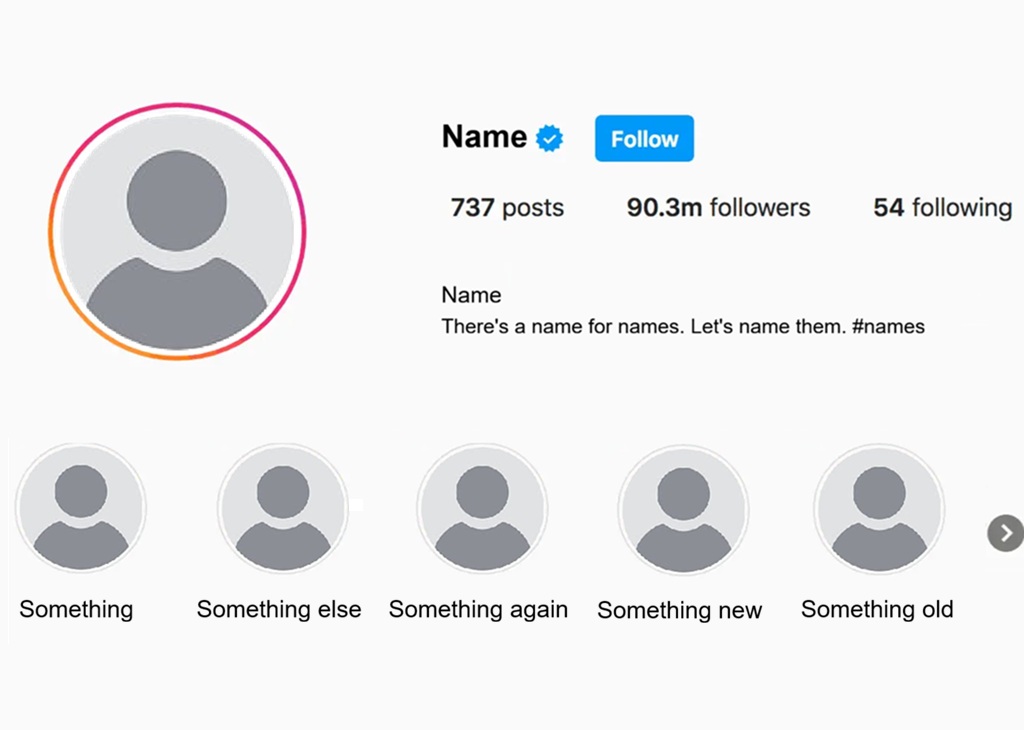
Most Instagram users treat Stories Highlights as a simple archive feature. They add Stories they liked, leave them on their profile, and rarely think about them again. But for creators who understand how profile real estate works, Highlights are something more. A deliberate Instagram Stories Highlights strategy turns this feature into a first impression tool. It also works as a navigation system for new visitors. And it keeps your best content visible long after the 24-hour window closes. This article walks through how to approach Highlights with intention rather than habit, and why that shift makes a genuine difference for accounts at an intermediate stage of growth.
Why Highlights Deserve More Strategic Attention
When someone visits your profile for the first time, they make a quick judgment. They look at your bio, your grid, and the row of Highlight bubbles sitting just below your bio. Those bubbles appear before a visitor even scrolls to your feed. That positioning makes them prime real estate. A disorganized or outdated set of Highlights can give a poor first impression. A well-curated set can communicate your niche and your personality within seconds. It can also convey your content categories at a glance. For creators at an intermediate level, optimizing this area of the profile can make a real difference. A clear Instagram Stories Highlights strategy helps visitors decide whether to follow within seconds of arriving.
What Highlights Actually Communicate to New Visitors
Each Highlight cover and title functions as a mini category label. Visitors read them the way someone might scan a table of contents. They help a new visitor understand what your account is about quickly. They also signal what kind of content that person can expect. A food creator with Highlights labeled “Recipes,” “Restaurant Reviews,” and “Grocery Hauls” tells a clear story at a glance. A creator whose Highlights are filled with unlabeled or miscellaneous content tells a much murkier one. The titles and covers you choose should reflect the categories that matter most to your target audience. They should not just represent content you happened to feel like saving at the time.
The Connection Between Highlights and Profile Conversions
Highlights can influence whether a new visitor hits the follow button. When a visitor sees organized, relevant Highlights, they get a clearer sense of what following your account would mean for them. Compare this to a profile with Highlights full of random birthday countdowns and single-use event coverage. That kind of clutter signals inconsistency. Organized Highlights that match your niche and content style can reassure a potential follower. They show that your account delivers on a consistent promise. That reassurance is often what tips a visitor from curious to committed. It’s a small detail that can quietly have a large effect on your follower conversion rate over time.
Organizing Your Highlights for Clarity and Impact
Organizing your Highlights well starts with deciding what categories actually deserve a permanent slot on your profile. Not every topic you cover needs its own Highlight. Think about the content areas that are most central to your account. Also consider what’s most useful to your audience on an ongoing basis. A good starting point is to identify three to six core categories. Each should represent a type of content your audience comes back for regularly. These might be tutorials, product reviews, personal content, or behind-the-scenes material. The right categories depend on your niche and the type of account you run. A strong Instagram Stories Highlights strategy always starts here, with clear categories before anything else. Without that clarity, the rest of the setup is difficult to execute well.
Choosing Cover Images That Work Visually
The visual design of your Highlight covers matters more than creators often expect. Covers that use a consistent style make your profile look intentional and cohesive. This might mean a single color palette, a set of simple icons, or a unified aesthetic applied across all covers. Mismatched or auto-generated covers tend to make the row look cluttered and amateur. These default to random frames from the Stories inside each Highlight. You don’t need complex graphic design skills to create clean covers. A simple icon on a solid background, kept consistent across all your Highlights, goes a long way toward giving your profile a polished feel. Free tools like Canva make it easy to create a matching set of cover images in under an hour.
How Many Highlights Is the Right Number
There’s no perfect number, but a general principle applies: keep only what’s actively useful to visitors. Many creators accumulate Highlights over time without pruning them. The result is a row so long that most visitors won’t scroll through all of it. Aim for a curated set that covers your core content categories without overwhelming the viewer. Somewhere between four and eight Highlights tends to work well for most accounts. If you find yourself with more than ten, consider whether some could be merged or retired. This is especially true for outdated campaigns, events that have already passed, or content that no longer reflects your current direction. Keeping the number manageable also makes it easier to maintain Highlights properly over time.
Filling Highlights With Evergreen Stories Content
The real power of Highlights lies in how they can keep content visible beyond the 24-hour Stories window. This is where the concept of evergreen Stories content becomes central to the strategy. Evergreen content is material that remains relevant and useful over time. It differs from time-sensitive posts that only make sense in the moment. A tutorial on how you edit your photos is a good example. So is a walkthrough of your morning routine or a FAQ about how you got a start in your niche. These posts continue to deliver value to new visitors months or even years after their original posting.
Identifying Which Evergreen Stories Content Deserves a Permanent Home
Not every Stories post is worth archiving in a Highlight. The ones that make the most sense are those that answer recurring questions or introduce your account to new visitors. Content that showcases your niche clearly is also worth keeping. Think of your Highlights as a curated portfolio, not a complete archive. If you find yourself adding every Stories post automatically, step back. Ask whether each piece of content would serve a new visitor who found your profile today. Evergreen Stories content that educates, introduces, or demonstrates something useful is almost always a better fit than content that you connect to a specific date, event, or trend. When in doubt, leave it out and let your archive hold it instead.
Updating Highlights to Keep Them Current
Even evergreen content benefits from occasional updates. Trends shift, your content style evolves, and what felt representative of your account a year ago might feel dated now. Schedule a regular review of your Highlights, perhaps every quarter. Check whether the content inside is still current and still reflects where your account is heading. Replace outdated how-to content with newer examples. Refresh your FAQ Highlight as new questions emerge from your audience. Keeping your Highlights up to date ensures that the first impression you make continues to be the one you actually want to give. This also signals to returning visitors that you are actively maintaining and growing your account.
Using Evergreen Stories Content to Support Specific Goals
Beyond organizing and curating, you can shape your Instagram Stories Highlights strategy around specific goals you want to achieve on the platform. If you’re building toward monetization, a Highlight dedicated to partnerships can showcase your track record to potential brand partners. If you’re driving traffic to an external site or product, a Highlight with evergreen Stories content featuring links or calls to action can keep that funnel active. The original Stories post would have disappeared long ago, but the Highlight keeps working. Matching each Highlight to a specific purpose makes the feature work harder for you.
Organizing Your Highlights as a Trust-Building Tool
For creators building toward long-term audience loyalty, certain Highlight categories work particularly well as trust-building tools. A “My Story” or “About Me” Highlight gives new followers context about who you are. A “Results” or “Community” Highlight can showcase feedback or user-generated content. This demonstrates real impact to new visitors. These categories signal that real people engage with your content. They also show that your account delivers on what it promises. Trust is built gradually. Highlights that surface this kind of social proof play a quiet but meaningful role in that process. New visitors are more likely to follow accounts that feel established and credible, and these categories help create that perception.
Integrating Highlights Into Your Broader Content Plan
Organizing your Highlights works best when you connect it to your overall content planning process. When you plan a new content series or campaign, decide upfront whether it will generate Stories worth adding to a Highlight. This prevents the common situation where Highlights become a graveyard of random archived content. Conversely, consider what Highlight categories you already have. Ask whether your upcoming content is designed to feed into those categories. This kind of intentional connection between your Stories content and your Highlights keeps the feature useful rather than merely decorative. Over time, it also ensures that each new piece of content has a clear home rather than drifting into the archive without contributing to your profile’s overall message.
Maintaining and Auditing Your Highlights Over Time
Like any part of your profile, Highlights require periodic maintenance. The feature is easy to neglect once you have completed the initial setup. But neglect tends to show. Outdated Highlights create a poor impression on new visitors. So do broken link references and promotional content for campaigns that ended months ago. Building a light audit habit into your regular content review process keeps your profile’s first impression sharp. Even fifteen minutes once a quarter is enough to catch what needs updating. It’s a small investment that keeps your Instagram Stories Highlights strategy working effectively over time.
When to Add, Merge, or Remove: Organizing Your Highlights
Add a new Highlight when a content category becomes genuinely recurring and representative of your account’s direction. Merge Highlights when two categories are too similar or too sparse to justify separate bubbles. Remove a Highlight entirely when its content is no longer relevant. The same applies when the category no longer reflects your current focus. Or when the Highlight has become so outdated that it would confuse rather than help a new visitor. These decisions don’t need to be complicated. The guiding question is always the same: does this Highlight serve a new visitor who found my profile today? If the answer is no, it’s time to retire it.
Treating Highlights as a Living Part of Your Profile
The most effective Instagram Stories Highlights strategy treats Highlights as a dynamic feature rather than a set-it-and-forget-it one. New content gets added regularly. Old content gets retired. Covers get refreshed when the aesthetic of the account evolves. Categories get rethought when the account’s direction changes. This ongoing attention distinguishes creators who use Highlights as a genuine strategic tool. It sets them apart from those who simply accumulate archived content and leave it there. The difference, from a new visitor’s perspective, is immediate and significant. Visitors can tell when a profile is actively maintained, and Highlights are one of the clearest signals of that attention.
VerifiedBlu is a great resource for growing your Instagram followers organically and authentically. Contact us to talk about how we can help.
