
How to Pick the Cover Image for Your Instagram Reel
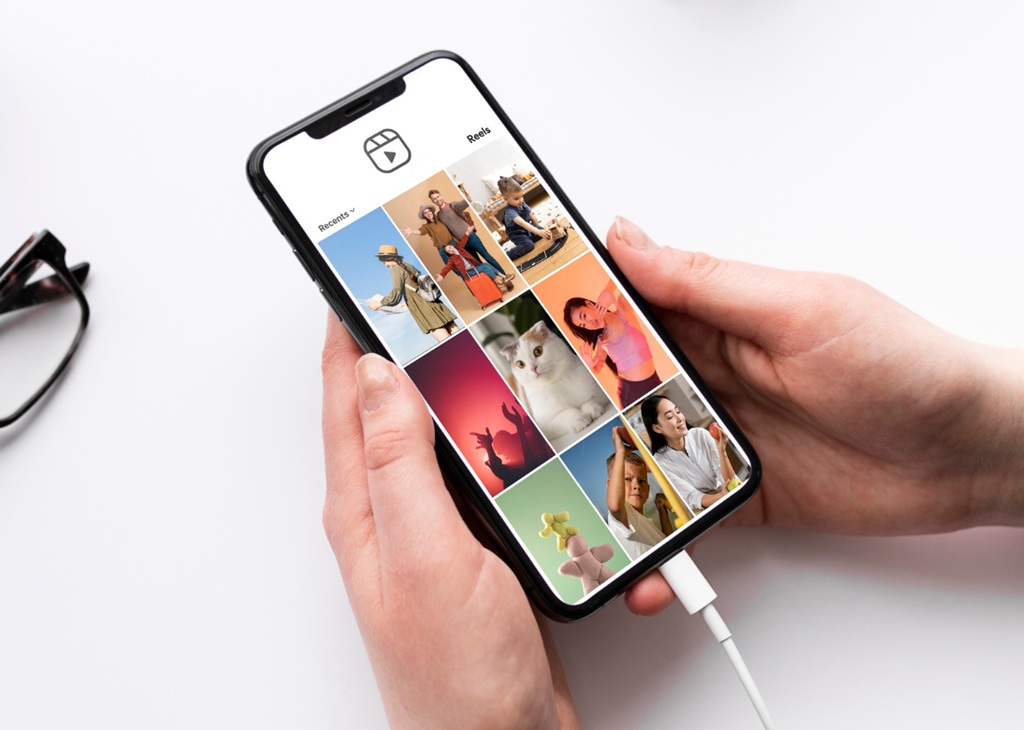
Why the Cover Shapes Your Grid at First Glance
Every Reel you post starts with a small picture, and that picture does a lot of work. The Instagram Reel cover image is the first thing most people see when they land on your profile. It sits in your grid, in the Reels tab, and in search results. Because viewers scan quickly, they decide in a moment whether your video looks worth a tap. So the cover acts like a storefront window. If the window looks messy or random, many people will walk past. But if it looks clear and inviting, more people will stop and watch what’s inside. This small tile may seem minor, yet it often decides everything.
What the Cover Actually Does
A cover does three jobs at once. First, it tells people what the video is about before the video plays. Second, it signals your style, so new visitors can tell if your account fits their taste. Third, it sets the look of your profile page. Instagram changed the profile grid to a tall rectangle, and covers now show in a 3:4 shape there. The full Reel still plays in 9:16, but the grid crops the cover. As a result, a cover that looks great on its own can look awkward beside your other posts. That’s why you should plan for both views from the start. Also, remember that the grid keeps showing it long after you post. That makes the choice more lasting than it looks.
Where Viewers Meet Your Cover
People meet your cover in more places than you might expect. Followers see it on your profile and in the Reels tab. Strangers may see it in search, on the Explore page, or after a friend shares your Reel. Each spot crops and sizes the image a little differently. Still, the main idea stays the same: every Instagram Reel cover image needs one clear focal point. It also has to read well at a small size. Now think about your own habits. When you scroll a profile, you probably judge each tile in about a second. Your audience does the same thing, so make that second count. A clear cover helps you win it. Soon, you’ll see how much this habit shapes your profile.
Choosing an Image That Earns a Tap in the Feed
A good cover starts with a simple question. What will make a stranger curious? Start with the main subject of your video, and then look for the frame that shows it best. A face with a clear expression often works well, because people respond to eyes and emotion. A finished product, a before-and-after result, or a striking action can also work. Next, avoid frames that show you mid-blink or mid-word. Blurry motion makes the tile look careless. Also skip dark frames, since a dark tile fades into the grid. Pick a moment that’s sharp, bright, and easy to understand at a glance. In short, the best cover feels natural, not forced. Viewers should understand the idea without any extra effort.
Frame the Subject Clearly
Framing matters as much as the subject itself. Place your main subject near the center, because the grid crop trims the top and bottom of a tall cover. Leave some breathing room around faces, hands, and products. When the subject fills the frame, the tile feels bold and easy to read. When it’s tiny, viewers can’t tell what they’re looking at. A strong Instagram Reel cover image usually has a simple background, too. Busy backgrounds compete with the subject and make the tile feel noisy. Try to shoot or pick frames with a clean backdrop, or use a plain color behind your text. When in doubt, zoom out and look at the whole tile. Then ask if a stranger would understand it quickly.
Keep Text Short and Readable
Text can help a cover, but only when it stays short. Aim for three to five words in a large, bold font. Viewers see the tile at a tiny size, so long phrases turn into a gray smudge. Keep the words away from the edges, because the grid crop can cut them off. Also check the top and bottom, where Instagram’s buttons and captions may cover your design in the Reel view. If the text repeats the title of the video, it adds little. Instead, use it to promise a result, ask a question, or name the topic. Then test it by shrinking the cover on your screen. If you can still read it, the text works. If it’s still hard to read, cut more words. Short text almost always wins, even though it feels bold.
Reasons Why the Cover Shapes Your Grid Over Time
Your grid tells a story about your account, and every cover adds a line to it. A new visitor rarely watches ten Reels before they decide to follow. Instead, they scan your profile and form an opinion fast. If the tiles look consistent, the account feels professional and trustworthy. If they look random, the account feels unplanned. That’s why a thoughtful Instagram Reel cover image can lift follows as well as views. The cover doesn’t need to be fancy. But it does need to feel like it belongs to the same account as the tiles around it. Over time, these small tiles add up to a clear brand impression. That impression often matters more than any single video.
Keep Colors Consistent
Color is the easiest way to build a recognizable grid. Pick two or three brand colors and use them again and again. You can add a colored bar, a tinted overlay, or a matching text color to your covers. Likewise, a steady font helps people recognize your Reels at a glance. Consistency doesn’t mean every tile must look identical. Rather, it means a viewer can tell the tiles come from one creator. Some accounts use one bright accent color and let the photos change. Others alternate between two layouts. Either approach works, as long as you stick with it for a while. Patience pays off here, since a grid takes weeks to build. Also, avoid changing your style every week. Frequent shifts confuse new visitors, so give each look time to settle.
Respect the Grid Crop
Next, look at how the crop works. Instagram shows a center crop of your cover on the profile grid, so the top and bottom of a tall image get trimmed. Before you post, open the grid preview and check what survives. Move any text or faces that sit too close to the edges. Also look at how the tile sits beside its neighbors. A great Instagram Reel cover image can still clash with the tiles next to it if its color or brightness is far off. Small changes, such as a shift in position, can fix this quickly. You can also adjust brightness so the tile blends in better. When you test this, compare the tile on your own profile with a few rival accounts. You’ll quickly notice what stands out.
Tools for Choosing an Image That Earns a Tap
You don’t need expensive software to make a strong cover. The built-in tools in the app cover the basics. After you record and edit your Reel, you’ll reach the final screen before you share. There, you can tap the option to edit the cover. From that screen, you can slide through the video and pick any frame you like. Then you can preview how it looks on the grid. This option works well when your footage already has a strong moment. It’s also fast, so it suits creators who post often. Still, take a moment to scrub carefully, because the frame that looks good on a small slider can look weak at full size. In addition, the grid preview helps you catch mistakes before anyone else sees them.
Pick From Your Own Footage
Planning ahead makes picking a frame much easier. While you film, pause for a second on a clean, well-lit pose, and hold it still. That tiny pause gives you a sharp frame to choose later. You can also film a short opening shot just for the cover, such as a smile or a clear look at the product. Then you only need to select it. A well-chosen frame keeps the Instagram Reel cover image tied to the real video, so viewers feel they got what the tile promised. This matters, because a cover that misleads people can hurt your watch time and trust. Overall, a little prep during filming saves a lot of time later. That’s especially true when you post several Reels a week.
Upload a Custom Cover
If no frame looks right, upload a custom image instead. Design it in a free app such as Canva, or use any photo editor you like. Make it tall, with a 9:16 shape, and keep the important parts in the center. Export it at a high resolution so it stays sharp. Then upload it from the cover screen and check the grid preview again. Custom covers give you the most control over color, text, and layout. They also take more time. So save them for Reels that matter most, such as a launch, a tutorial series, or a Reel you plan to pin to the top of your profile. Meanwhile, keep your template files saved in one folder. If you reuse them, each new cover takes only a minute or two.
Measure Results and Refine Your Choices
Once your Reel goes live, watch how people respond. Instagram’s Insights show views, reach, and how many people watched past the first few seconds. Compare those numbers across different covers. If one style gets more profile visits or more plays than another, take note. But don’t rely on a single Reel, because timing, topic, and sound also change results. Look for patterns over several posts instead. For example, you might see that covers with a face beat covers with only text. Or you might find that bright colors beat dark ones. Each pattern gives you a clue about what your audience likes. Then you can use those clues to plan your next batch of covers. Still, don’t chase every small change in the numbers. Instead, focus on the trends that last for weeks.
Track Why the Cover Shapes Your Grid in Your Insights
To see how covers affect your profile, track a few simple numbers each week. Note your profile visits, your follower growth, and your most-played Reels. Then look back at the tiles that sit near those spikes. When a Reel brings in more followers, check how its tile looks in the grid. Over time, you’ll learn what kind of Instagram Reel cover image fits your account best. Write your findings in a simple notes file or spreadsheet. A short log is enough, since you only need a few columns. After a month or two, the data will start to show which styles bring people in and which ones don’t. That knowledge saves you guesswork. Soon, this habit will feel natural. As a result, you’ll spot weak covers before you even post them.
A Simple Routine for Choosing an Image That Earns a Tap
Finally, turn all of this into a short routine. First, choose the best frame or design a custom cover. Second, center the subject and keep the text short. Third, check the grid preview and compare the tile with its neighbors. Fourth, post the Reel and watch the numbers for a week. Then record what you learned and adjust the next cover. This routine takes only a few minutes per Reel, yet it adds up fast. Over dozens of posts, a steady habit builds a grid that looks polished and invites new viewers to tap. Start with your next Reel, and refine from there. You’ll improve with every post. Above all, stay curious. Every cover is a small test, and each test teaches you something useful about your viewers.
VerifiedBlu is a great resource for growing your Instagram followers organically and authentically. Contact us to talk about how we can help.
